How Stripe Integration Works
When Stripe is connected:
A payment field is added to your form.
Respondents enter their payment details securely.
Stripe processes the transaction.
The form submission is completed only after successful payment.
If payment fails, the submission is not finalized. Stripe handles all payment processing and security. Kiwiform does not store card information.
When to Use Stripe
Stripe is useful when you want to:
Collect event registration fees
Sell digital or physical products
Accept donations
Charge consultation fees
Collect booking deposits
Offer paid memberships
Payments are processed in real time during form submission.
How to Connect Stripe to Your Form
Open your form in Kiwiform.
Click Connect in the top navigation.
Select Stripe from the integration list.
Click Connect.
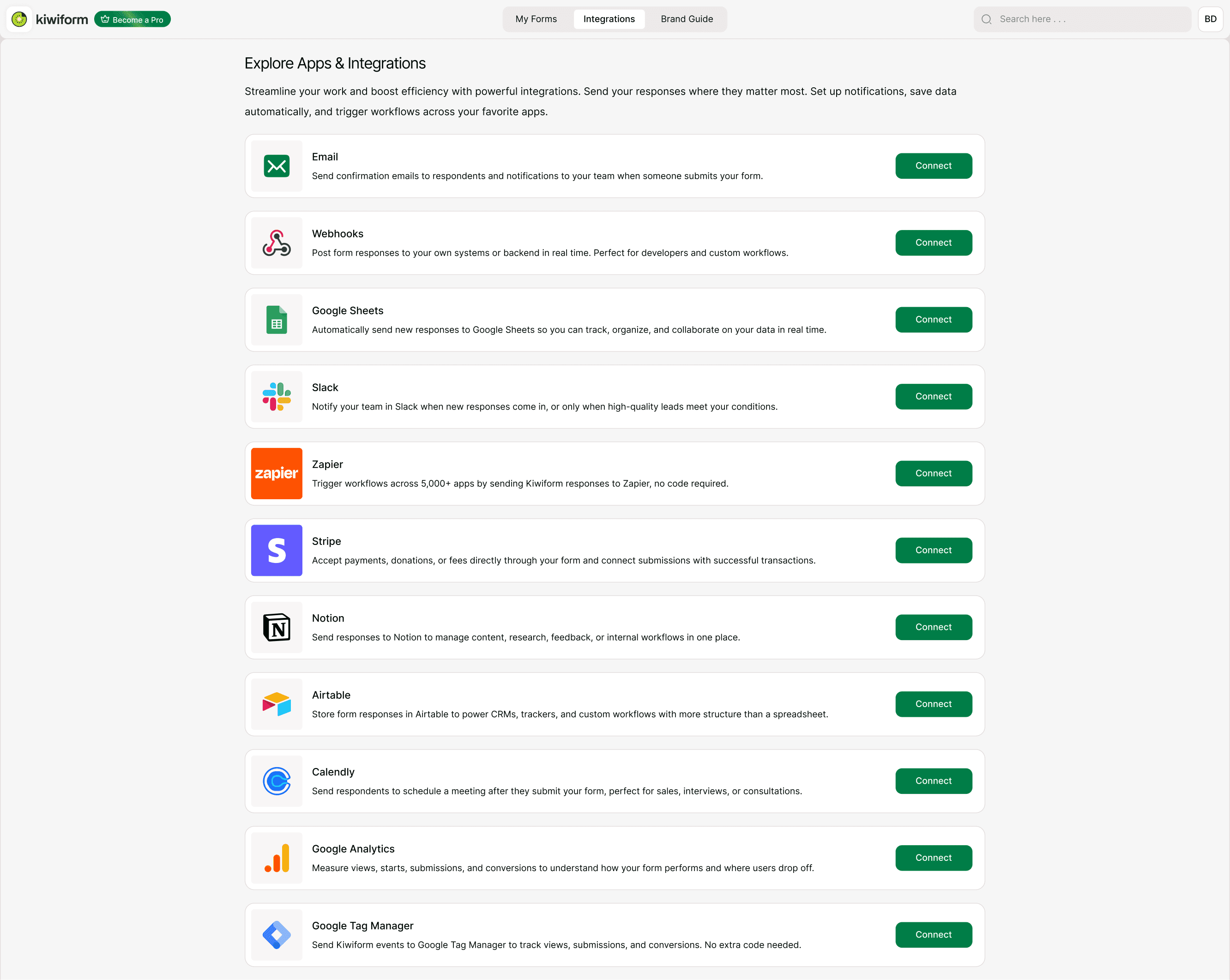
Authorize Stripe
You will be redirected to Stripe:
Log in to your Stripe account.
Grant access to Kiwiform.
Once authorized, your form is connected to Stripe.
How to Add a Payment Field
After connecting Stripe:
Go to the Form tab.
Add a Payment field.
Set the payment amount.
Choose currency.
Customize payment description if needed.
The payment field can be placed anywhere in your form.
Payment Settings
You can configure:
Fixed payment amount
Currency selection
Payment description
Required payment before submission
Currently, payments are processed as one-time charges.
What Happens After Payment?
If payment is successful:
The form submission is completed
Payment appears in your Stripe dashboard
Submission is visible in Kiwiform Results
If payment fails:
The user is prompted to retry
The submission is not finalized
You can manage refunds directly inside your Stripe account.
Managing Stripe Payments
Payments are managed in your Stripe dashboard.
From Stripe, you can:
View transactions
Issue refunds
Download reports
Monitor payment status
Disconnecting Stripe from Kiwiform stops new payments but does not affect past transactions.
Best Practices
For smooth payment collection:
Clearly state pricing before the payment field
Test payments before publishing
Use clear confirmation messages
Monitor Stripe notifications
Avoid changing payment settings after publishing
Summary
The Stripe integration allows you to securely collect payments directly through your Kiwiform form during submission. Once connected, respondents can complete a one-time payment as part of the form flow, and the submission is finalized only after a successful transaction. Payments are processed through your Stripe account, where you can manage transactions, refunds, and reports. This integration is ideal for event registrations, product sales, donations, service fees, and booking deposits.